Make every number yours.
Shape motion, color, scale and fade for each feedback type. Replace the numeric atlas to match your art direction.
INDEPENDENT TOOLS. MORE EXPRESSION.
We build focused Unity tools that help you turn gameplay events into feedback players can feel.
01 / FEATURED TOOL
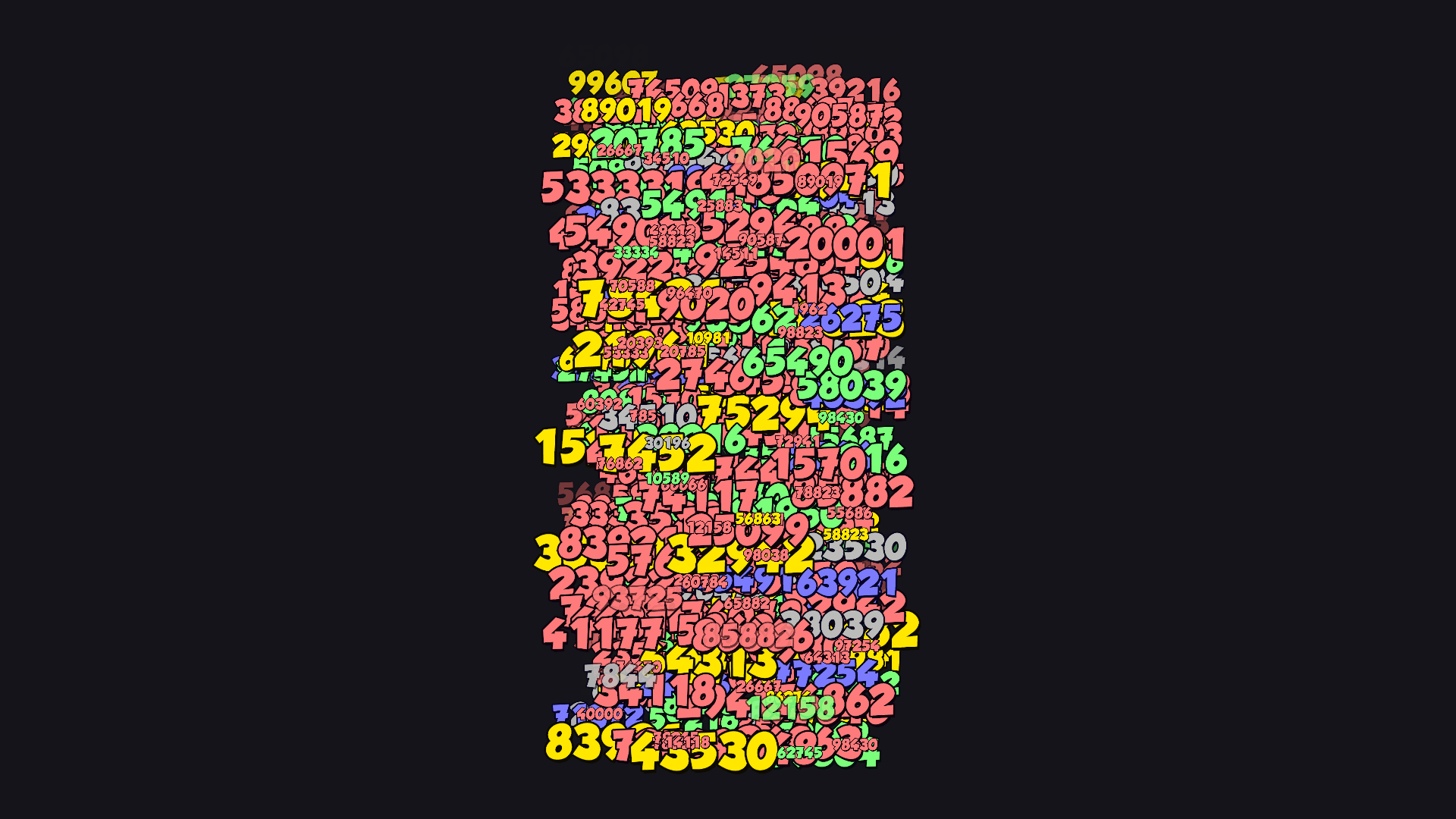
VERSION 1.3.0GPU Damage Text brings damage, healing and critical hits into your game world. One manager, configurable styles, and a rendering path built around GPU-driven text.
Shape motion, color, scale and fade for each feedback type. Replace the numeric atlas to match your art direction.
Use one manager to coordinate text, rather than creating an individual UI object for every floating number.
Spawn at a world position, follow a transform, or use a local offset. Direct references and resource-provider workflows are supported.
STYLE SHEET / UNITY EDITOR
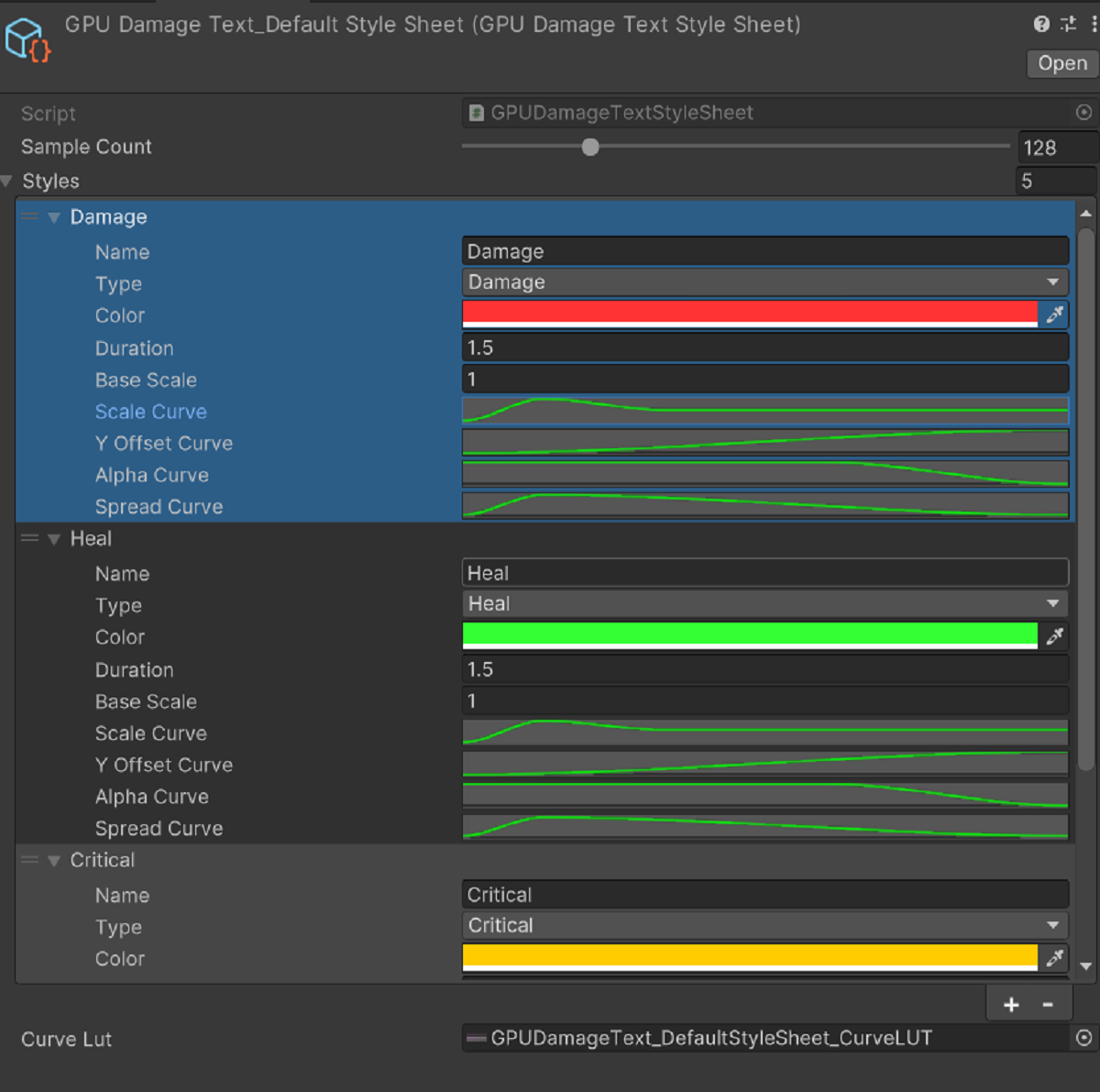
Tune the arc of a hit, the weight of a critical, and the pace of a heal. Style sheets keep the look of each feedback type together.
Import and Shader checks on 2022.3.62f3 and 6000.4.5f1.
HDRP is not officially supported.
Setup, styling, font customization and troubleshooting.
02 / FROM IDEA TO FIRST HIT
Create GameObject → JoyLinkStudio → GPUDamageText → Manager. Check the default font, material, style sheet and quality settings.
Call the spawn API from your damage or healing event. Supply a position visible to your game camera.
Adjust your styles, then use the included sample scenes to evaluate the result on your target hardware.
using JoyLinkStudio.GPUDamageText;
using UnityEngine;

public void ShowHit(Vector3 hitPoint, int damage)
{
    GPUDamageTextAPI.SpawnNumber(
        damage, hitPoint, DamageTextType.Damage);
}Yes. Import an atlas and generate a GPUDamageTextFontAsset using the font customization workflow. The included default atlas is numeric-focused; alphabetic and localized glyphs require your own font asset.
No. You can start with direct asset references. Resource-provider support is available for projects with a dynamic loading workflow.
The package includes Quick Start, User Guide, Font Customization and Troubleshooting documentation in English and Simplified Chinese. This page is a short introduction to that workflow.
03 / JOYLINKSTUDIO
JoyLinkStudio is an independent Unity tool publisher focused on runtime rendering and combat feedback. Our current project is GPU Damage Text: a focused tool with editable styles, sample scenes and integration documentation.
HAVE SOMETHING IN MIND?
Questions about integration or compatibility? Tell us your Unity version, render pipeline, and what you're trying to build.